 FlowLynq · OrderLynq & WorkLynq
Order intake and field service, finally connected to your ERP.
FlowLynq gives sales reps and technicians the apps they actually need, and pushes everything they capture straight into Odoo, SAP, Exact or Microsoft Business Central. No exports, no re-keying, no lost paperwork.
Start your free trial Request a demo
7-day free trial, both apps included. No credit card required.
The problem
Still re-keying orders and chasing paper job sheets?
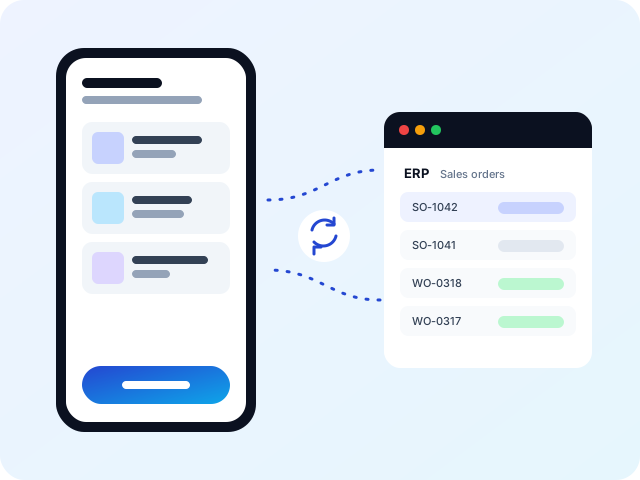
Your ERP is the system of record, but it was never built for a rep standing in a customer's warehouse or a technician on a rooftop. So orders land in inboxes, job sheets live on clipboards, and someone types it all in later. FlowLynq closes that gap.
Today
With FlowLynq
Orders emailed, phoned in or scribbled on carbon paper
Reps place ERP-priced orders on site, even offline
Job sheets typed into the ERP days after the visit
Signed, photographed work orders sync back the same minute
Price lists in spreadsheets that are always out of date
Customer-specific pricing pulled live from your ERP
Two apps, one platform
Each app stands on its own. Together they share one ERP connection.
Start with one app and add the other later: they reuse the same customers, products, price lists and subscription.
OrderLynq
Mobile order intake for sales reps
Give reps the full catalogue with customer-specific pricing in their pocket. Orders land in your ERP as draft sales orders before the rep leaves the parking lot.
- Offline order capture on phone or tablet
- Per-customer price lists, discounts and quantity breaks
- Photos and notes on every order line
- Catalogue filtered per customer and per rep
- Automatic push to your ERP as draft sales orders
WorkLynq
Field service work orders for technicians
Plan, dispatch and complete work orders with checklists, photos, signatures and time tracking, all flowing back to your ERP ready for invoicing.
- Schedule and dispatch work orders
- Per-job checklists so nothing gets skipped
- Customer signatures and photo proof of work
- Start/stop timers that roll up into billing
- Materials from the same catalogue, at ERP prices
How it works
Live the same day, not the same quarter
Connect your ERP
Link Odoo, SAP, Exact or Business Central once. Customers, products and price lists sync automatically, without a migration project.
Invite your team
Add reps and technicians as seats. They install the app, sign in and see exactly the customers and products they should.
Work flows back
Orders arrive as draft sales orders. Completed jobs come back signed, photographed and ready to invoice.
Works with the ERP you already run
The ERP connection is included in every plan, and both apps share it. Master data flows down from the ERP; orders and completed jobs flow straight back up.
- Odoo
- SAP
- Exact
- Microsoft Business Central
Frequently asked questions
Everything you need to know before you start.
Odoo, SAP, Exact and Microsoft Business Central. You connect once and both apps reuse the same customers, products and price lists.
Yes. Both apps are offline-first: reps capture orders and technicians complete work orders without signal, and everything syncs as soon as they reconnect.
Yes. OrderLynq and WorkLynq are priced per active user, per app. Start with one and add the other later; they share the same ERP connection and product catalogue.
Most teams connect their ERP and invite users the same day. There is no data migration: FlowLynq reads customers, products and pricing from the ERP you already run.
Put your ERP in your team's pocket
Connect your ERP, invite a rep and a technician, and see the first order land. Free for 7 days.